Flipkart seller guide
Why One Flipkart Order Item Has Several Rows in the Settlement Report
Quick answerThe Flipkart settlement report has one row for every amount Flipkart settled, so one order item can appear two or four times: the sale, an offer amount, a return and a reversal of an earlier row. Do not count rows as orders. Add up the Bank Settlement Value of all rows with the same Order item ID. The total of every row in the Orders sheet equals the Orders line in the Summary sheet, and Orders minus fines gives the Net Bank Settlement that reached your bank.
On this page · 8 sections
What one row in the settlement report stands for
Download the settlement report from Flipkart Seller Hub (Payments, then Settlements, as Excel) and open the Orders sheet. Row 1 only groups the columns under headings such as Payment Details and Marketplace Fees. The real column names are in row 2, and the data starts in row 3.
Each row is one amount that Flipkart settled for one order item in one payout, which the NEFT ID column names. When something changes after that, for example the customer returns the item, Flipkart adds a new row with the same Order item ID. The earlier row stays as it was.
In one month of settlements for our own store, the Orders sheet had 1,206 rows for 956 order items. 714 items had one row, 238 had two rows and 4 had four rows. Anyone counting rows would have seen 250 orders that did not exist.
The kinds of rows you will see
The column that holds the money tells you what a row is. A reversal uses the same column as the row it cancels, with the opposite sign.
| Row | Column with the amount | What happened |
|---|---|---|
| Sale | Sale Amount (Rs.) | The customer paid. Flipkart pays you after its fees and the TCS and TDS taken on the sale. |
| Offer | Total Offer Amount (Rs.) | The offer part of the price, sometimes settled on a row of its own. |
| Return | Refund (Rs.), often with Reverse Shipping Fee (Rs.) | The sale amount went back to the customer. Return Type says Customer Return or Logistics Return (RTO). |
| Reversal | The column of the row it cancels, with the opposite sign | An earlier sale or offer row is cancelled, usually after a return. |
A real example: one order item, four rows
This is a ₹66 desk organiser from the same month of our settlements. The customer returned it. Amounts are rounded to the paisa.
- Counted by rows, this looks like two sales and two refunds.
- Added by Order item ID, it is one return that took ₹164.02 out of the payout. That ₹164.02 is the reverse shipping fee plus 18% GST on it, because the sale, the offer and the refund cancel out.
| Row | What the row holds | Bank Settlement Value |
|---|---|---|
| 1 | Sale Amount ₹66, less TCS and TDS | ₹65.66 |
| 2 | Total Offer Amount ₹9, less TCS and TDS | ₹8.95 |
| 3 | Total Offer Amount −₹9: row 2 reversed | −₹8.95 |
| 4 | Refund −₹66, Reverse Shipping Fee −₹139, GST on the fee −₹25.02, TCS and TDS given back | −₹229.68 |
| Total | One returned order item | −₹164.02 |
How to add the rows up in Excel
Without a PivotTable, add a column with SUMIF. In our file the Order item ID is in column I and Bank Settlement Value is in column D, so =SUMIF(I:I, I3, D:D) gives the total for the item in row 3. Check the column letters in your own file first, because Flipkart adds columns from time to time.
Open the Orders sheet and select from row 2 (the column names) down to the last row.
Insert a PivotTable. Put Order item ID in Rows, and Bank Settlement Value (Rs.) in Values as a Sum.
Each order item now has one line with its net amount. A negative total is an item that cost you money in this report, almost always a return.
When you need the number of order items, count the lines in the PivotTable, not the rows in the sheet.
Check your total against the Summary sheet
Add the Bank Settlement Value of every row in the Orders sheet. The result should equal the Orders line in the Summary of report sheet. For our month the two matched to the paisa, which tells you no row is missing and none is counted twice.
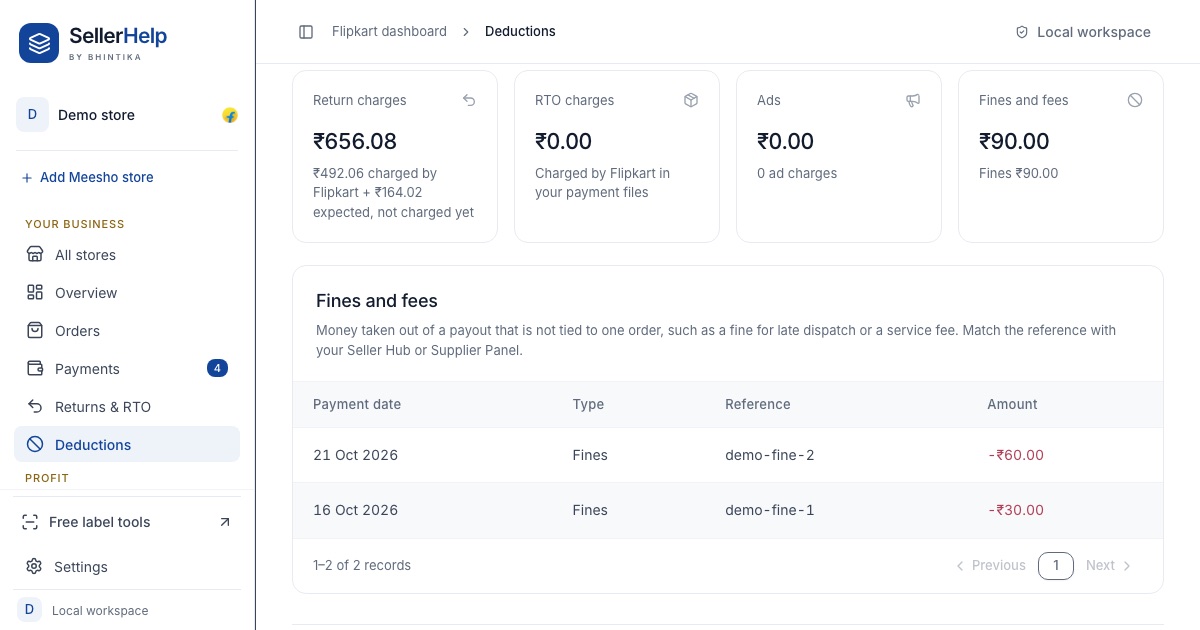
Fines are not in the Orders sheet. They have their own Fines sheet and their own line in the Summary, below Orders. The Summary ends with Net Bank Settlement (A), the amount Flipkart sent to your bank for the period. In our month Orders minus the fines was exactly the Net Bank Settlement. If your account has storage fees, ads wallet top-ups or SPF claims, those sit on their own sheets and Summary lines too.
Mistakes that come from counting rows
- Order counts that are too high. Count distinct Order item IDs, or take order counts from the Orders report in Seller Hub.
- Seeing duplicates that are not duplicates. A row with +₹53.73 and another with −₹53.73 for the same item are a sale and its reversal. In our file this pattern was a Logistics Return (RTO), where the sale and refund cancel and no fee is charged.
- Matching on Order ID. One order can have several items, and each item has its own Order item ID. Match payments on Order item ID.
- Failing to match with the Orders report. The Orders and Returns reports write the item ID as OI:4386… while the settlement report has only the number. Remove OI: with Find and Replace before a VLOOKUP or XLOOKUP.
Let the dashboard add the rows for you
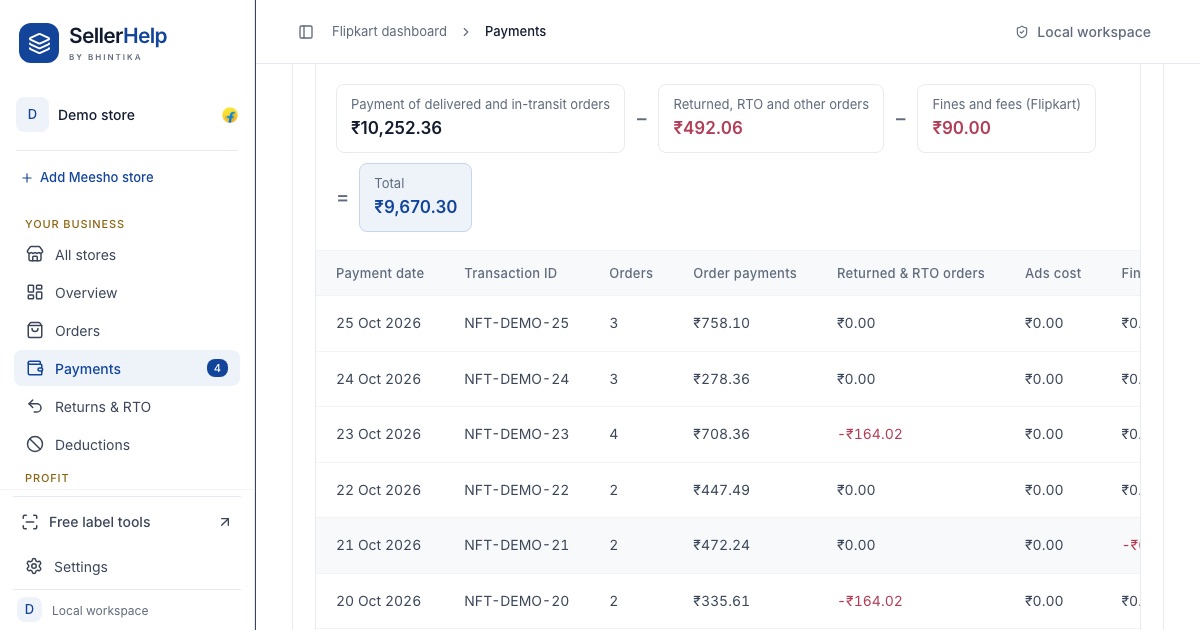
The free Flipkart seller dashboard reads the settlement report as Flipkart gives it and adds every row by Order item ID, so each order item shows one payment. The Payments tab shows the same sum as the Summary sheet: order payments, minus returned and RTO orders, minus fines, equals what reached your bank. You upload the Excel file; Seller Help never asks for your Seller Hub password.
Frequently asked questions
Is it a mistake when the same Flipkart order item appears twice in the settlement report?
Usually not. Each row is a separate amount, such as the sale and a later refund or offer row. Add the rows by Order item ID first. If two rows have the same NEFT ID, the same amounts and the same sign, raise it with Flipkart Seller Support and attach both rows.
Which column shows what reached my bank?
Bank Settlement Value (Rs.) on each row, which already includes fees, taxes and offers for that row. Net Bank Settlement (A) in the Summary sheet is the total for the report period after fines and other deductions.
Why is the total for one order item negative?
The item was returned in this report. The sale and the refund cancel out, and the reverse shipping fee and the GST on it stay with you, so the item's total is below zero.
Can I count my orders from the settlement report?
Only as distinct Order item IDs, and only for items settled in that period. For how many orders you received, use the Orders report from Seller Hub.