Meesho seller guide
How to Choose a Meesho Label Printer Before You Buy
Quick answerChoose a Meesho label printer by checking the label format you actually need, the usable print width, the computer or phone you will print from, compatible supplies and local service. Ask for a sample print from a made-up PDF before you commit. A marketplace logo, a "Bluetooth" badge or a low price does not show that a model prints your shipping labels correctly. This is a buying checklist, not a ranked list of printers we have tested.
On this page · 8 sections
Start with your current printing task
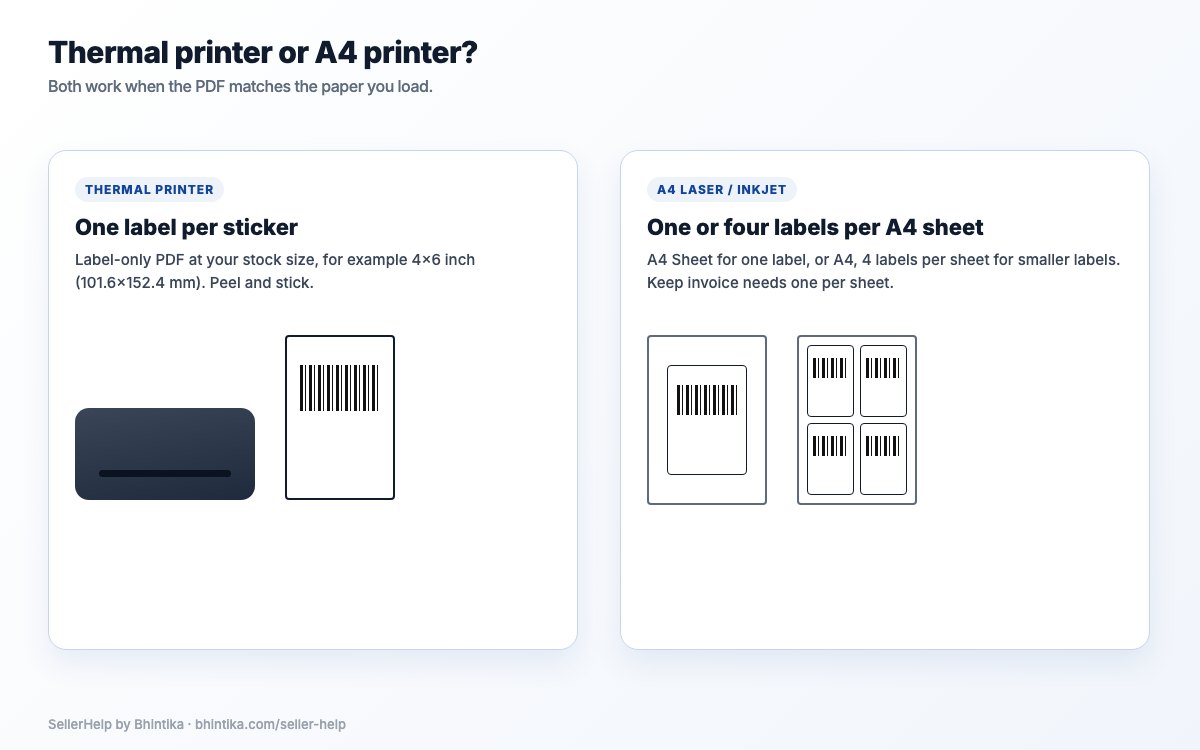
Write down four things before comparing models. If your current A4 printer already gives a suitable label, keep it as the baseline: there is no order count at which every seller must buy a thermal printer. For installation after you buy, use the thermal printer setup guide.
- The document and paper size your shipping workflow needs. Meesho asks suppliers to download and print the label and manifest and paste the label on the packet; see Meesho's shipping guide for suppliers.
- Whether you print labels only, or also invoices and manifests.
- The computer or phone you will actually print from.
- Your normal and busiest batch sizes, counted from your own orders.
Check usable print width, not only roll width
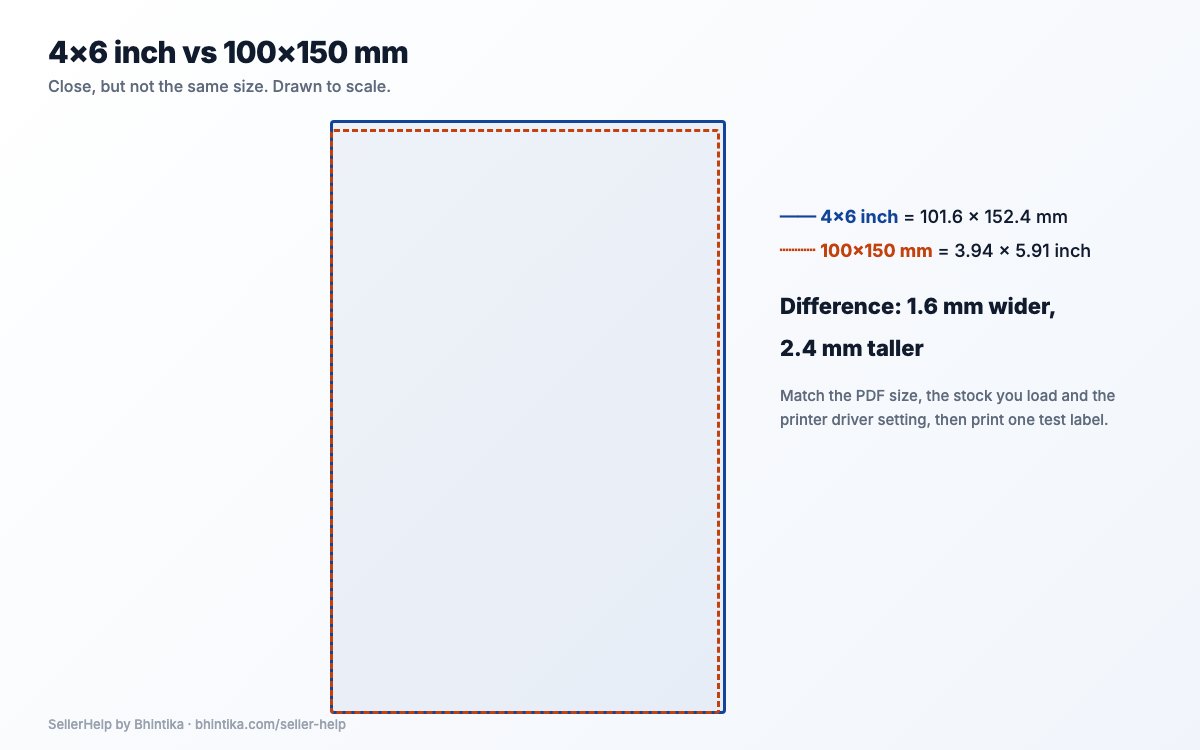
The media width a printer accepts and the widest area it can print are two different specifications. Ask for both: a wide roll does not mean the whole label fits the printable area.
Exactly 4×6 inches is 101.6×152.4 mm; stock marked 100×150 mm is slightly smaller. Match the output to the real stock and the printer's paper setting. Never squeeze a label onto a narrow receipt printer by shrinking the delivery details.
Makers publish width and media specifications per model. Read the sheet for the exact model you are buying; models in one series are not always identical.
Confirm the whole route from your device to the printer
Wireless setup, Bluetooth and printing a PDF directly are not automatically the same feature. Ask the seller to show the complete route you will use.
| Your setup | Ask the seller to show |
|---|---|
| Windows computer | The supported driver, your PDF reader and the right paper setting |
| Mac | Exact operating-system support and a full sample print |
| Android or iPhone | The supported app, opening a PDF and the connection you will use |
| Shared packing table | The network or connection setup and how print jobs are handled |
Match the supplies to the printing method
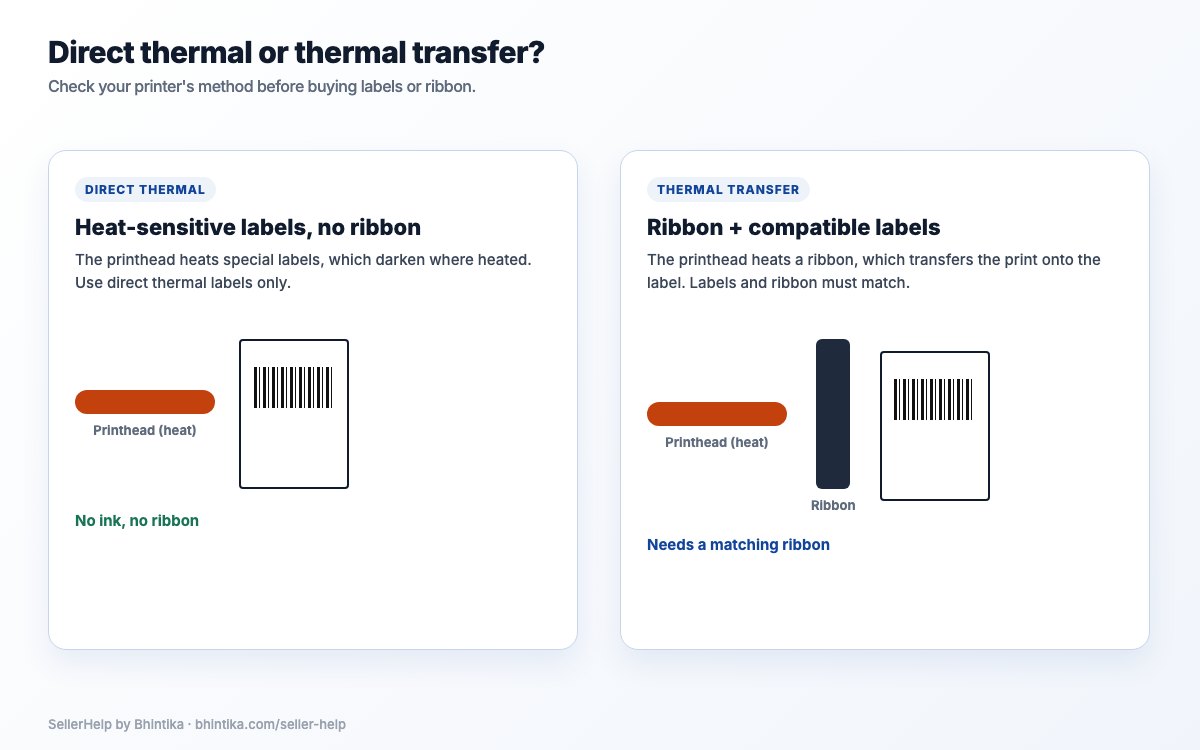
Direct thermal printing uses heat-sensitive labels and no ribbon. Thermal transfer uses a matching ribbon and labels. Direct thermal labels can fade with heat, light and rubbing.
Ask whether labels are easy to buy, whether rolls or fan-fold stacks fit, which core sizes work and whether a holder is needed. A cheap printer is a nuisance if its labels or spare parts are hard to find.
A higher DPI number does not promise better output on its own. Look at the barcode and small text at their real printed size.
Compare the total cost with what you spend now
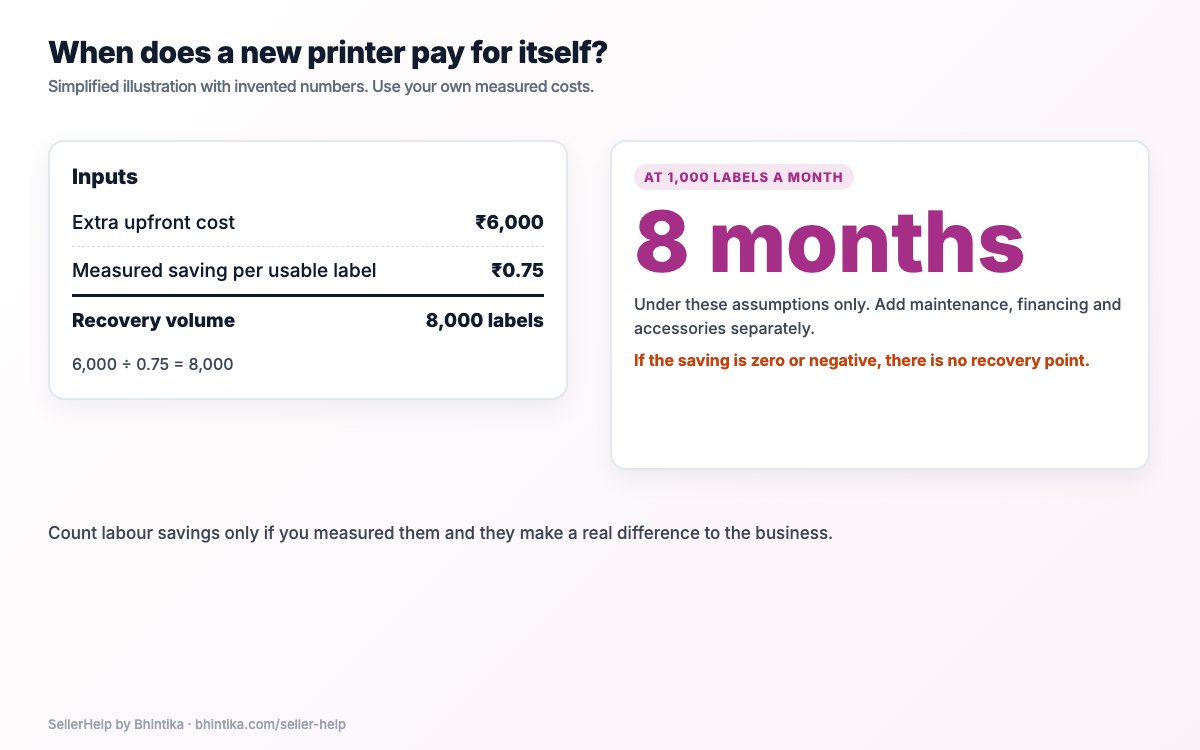
Use your own paper, label, reprint and handling figures. In this simplified example (not a price quote), a printer costs ₹6,000 more than your current setup and saves a measured ₹0.75 per usable label. It pays back after 6,000 ÷ 0.75 = 8,000 labels: eight months at 1,000 labels a month.
Add maintenance, financing and accessories separately. Count labour savings only if you measured them and they make a real difference. If the saving is zero or negative, there is no payback point.
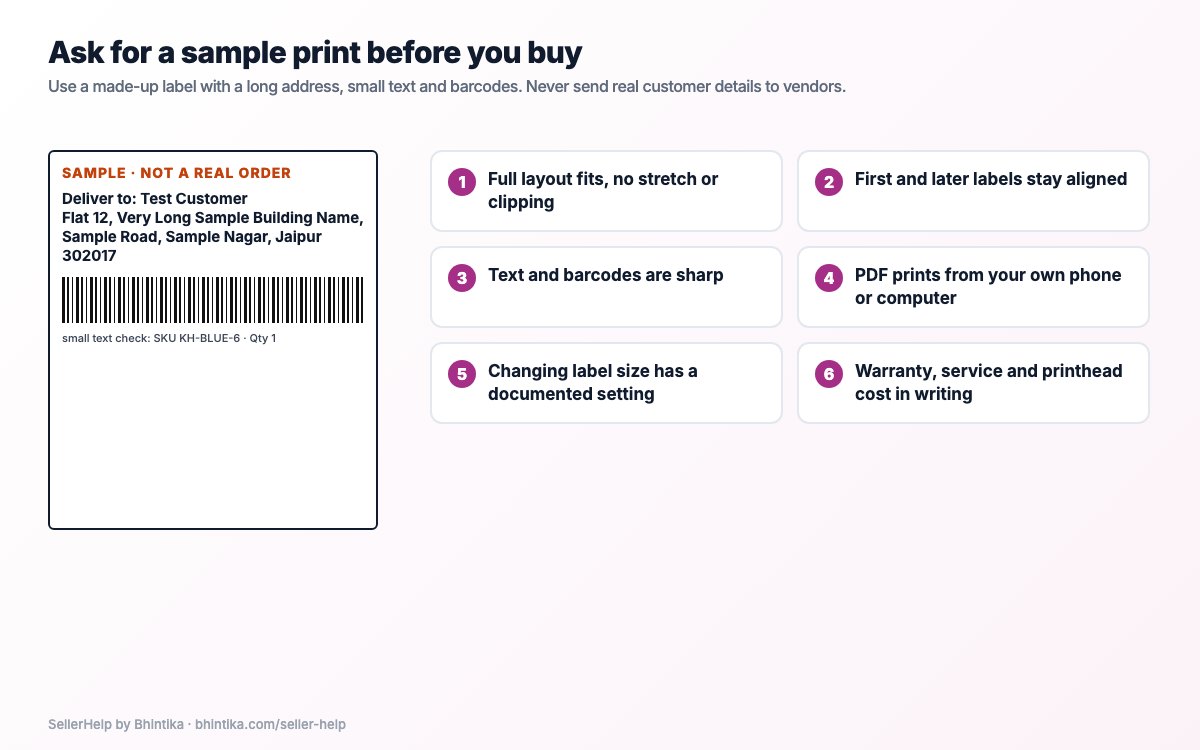
Ask for a sample print before you buy
Ask for a print of a made-up label with a long address, small text and barcodes. Never send real customer details to several vendors to get quotes.
The full layout fits without stretching or clipping.
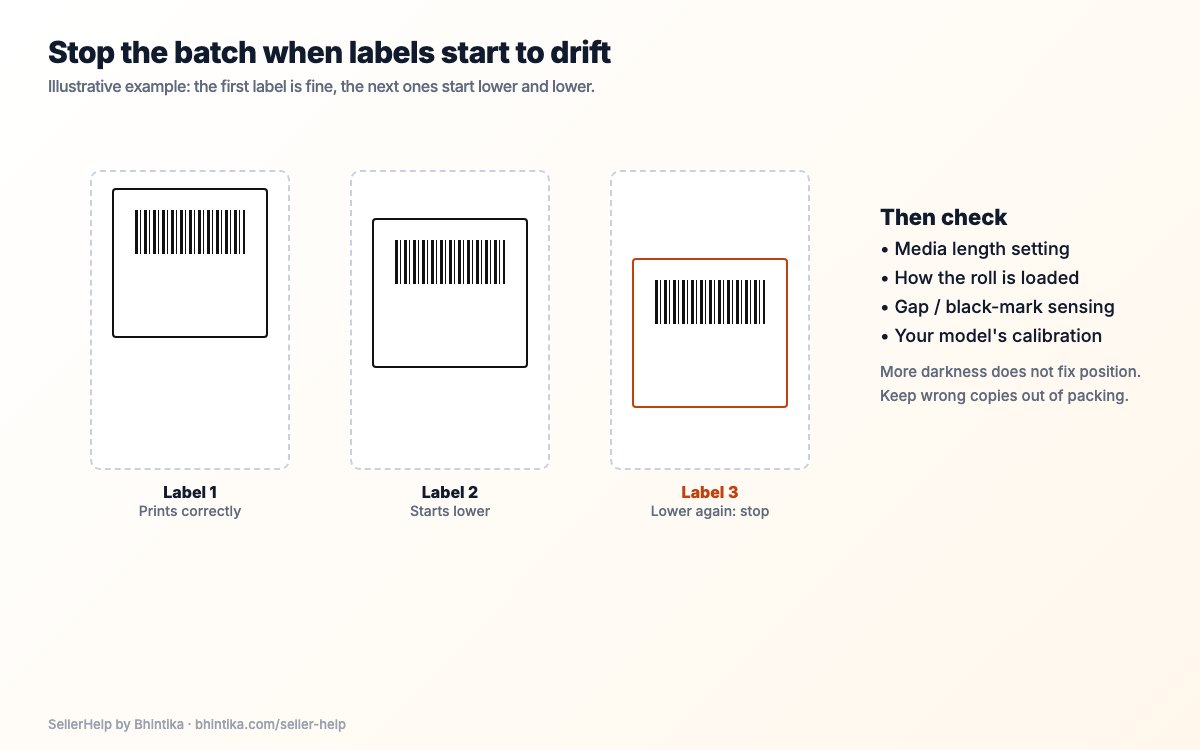
The first label and the next few stay aligned.
Text and barcodes are sharp.
The PDF opens and prints from the device you will use.
Changing the label size has a documented setting and calibration.
Warranty, service location, return terms and the printhead replacement cost are in writing.
Keep buying, setup and cropping separate
A phone scan of the sample is a first check, not proof that every courier scanner will accept every future label. After you buy, test your real workflow too.
The printer prints the page it receives. A full Meesho page with the invoice still needs preparing for label-only printing, while a PDF that is already the right size should not be cropped again. Use how to crop Meesho shipping labels for the file and the label size guide for sizes. The free Meesho label crop tool prepares the PDF; it does not decide which printer is compatible.
Frequently asked questions
Is the cheapest 4-inch printer always enough?
No. Check the usable print width, drivers, supplies, a sample print and service, not only the advertised width or price.
Do I need a printer sold as "for Meesho"?
What matters is whether it prints your labels from your devices. A Meesho name on the box is not a test result.
Should I buy a phone-only printer?
Only after seeing the complete PDF workflow you need work on your own phone, and understanding its limits. A wireless badge alone does not prove it.
What should I keep after buying?
Keep the sample print and the exact model name, so the printer delivered matches the one you checked.